
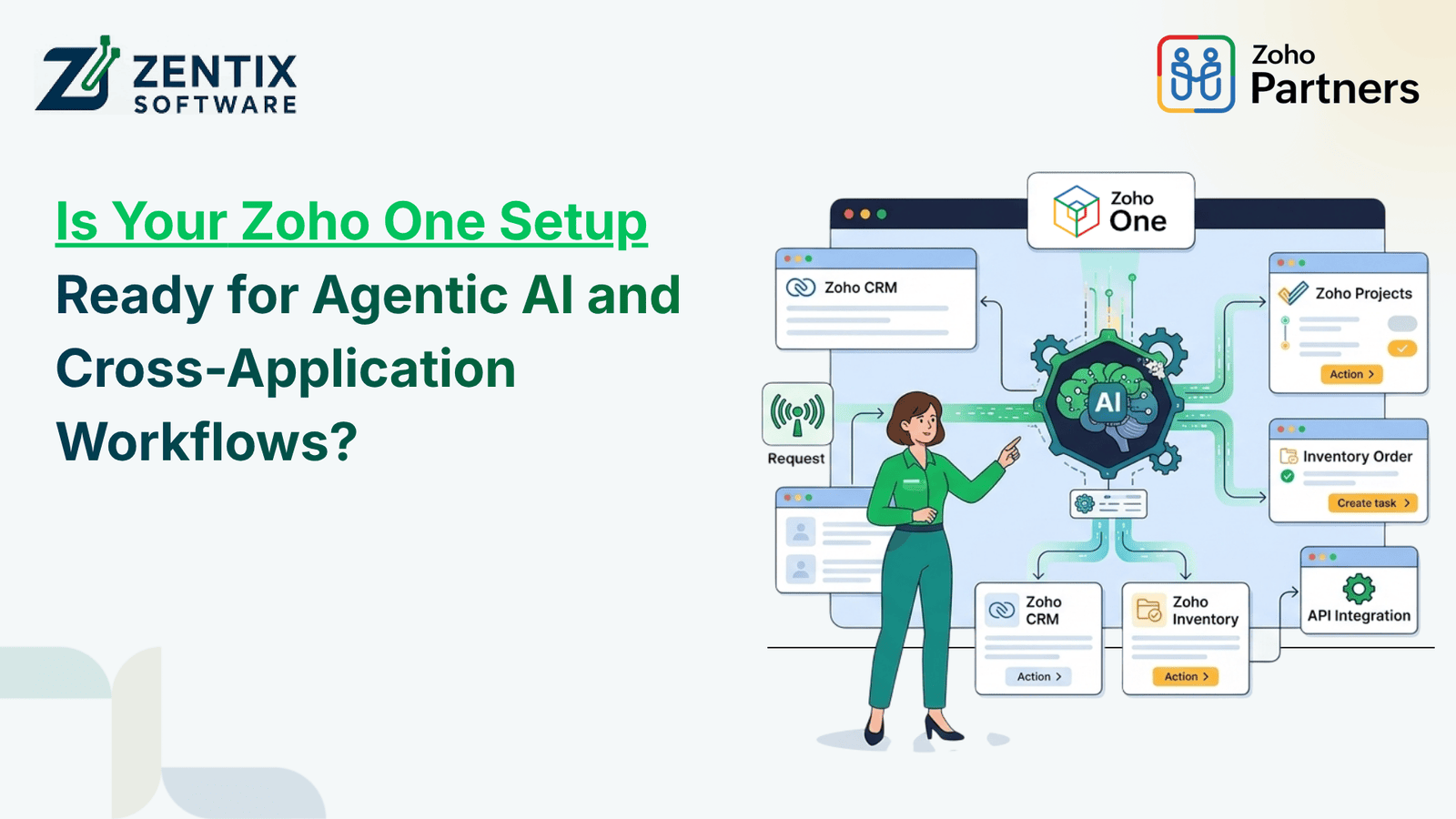
Businesses are moving beyond task automation. Today Businesses want systems that can understand instructions reach business information, coordinate activities and finish multi‑step tasks with very little manual help. This shift brings Agentic AI into business operations.
For organizations already using Zoho applications this offers a chance to improve how different departments work together. However, adopting AI is not about adding a new feature. Your applications, data, integrations, permissions and existing processes must be correctly set up..
A well-planned Zoho One Integration strategy can help establish the connected environment required for intelligent automation. But is your current setup ready to support it? Let's explore the key areas businesses should evaluate.
1. Understand What Agentic AI Means for Your Business
Traditional automation works by following set rules. For instance when a new lead comes into the CRM the system can automatically assign it to a salesperson. Send a message.
Agentic AI goes beyond that. It can take a request understand what’s going on pick the tools and handle multiple steps all by itself—based on instructions and what it’s allowed to do.
In Zoho Agentic AI lets businesses build flexible workflows. These can involve customer data, support tickets, financial records and day-to-day operations.
For example, an AI agent might pull up a customer’s information, look at an open support issue, check if an invoice is paid and then put together a report, for the right person. The things it does depend on the agents set up the tools connected and the access rights given.
2. Check Whether Your Zoho Applications Are Properly Connected
Having Zoho applications does not mean they automatically work together as one unified system. Businesses must inspect at how information moves between departments and check if the right connections are set up.
Consider a sales-to-finance process:
A new enquiry is entered into Zoho CRM.
The sales team updates the opportunity.
Customer details and transaction data are shared with Zoho Books.
Finance creates an invoice.
The customer support team gets the account information.
For this to work smoothly cross-application workflow automationmust rely on dependable links, between the applications
Review your integrations, API setups, data sync rules and any custom functions you have in place. If people are still copying data by hand from one system to another that’s a sign that improvements are needed. Fixing these gaps should come before moving to advanced automation.
Read Zoho One Explained: How It Connects Your Entire Business in One Platform to understand how connected applications can support your business requirements.
3. Evaluate Your Existing Automation Structure
Before adding capabilities review the workflows that are already operating within your organization.
Zoho One Automation should be built around defined business processes. Check whether your existing workflows are documented whether triggers work correctly and whether exceptions are handled properly.
Ask your team:
Are tasks already automated?
Do workflows depend on accurate and updated information?
Are approval processes clearly defined?
Can employees identify failed or incomplete automation?
Are duplicate records or unnecessary manual steps creating problems?
A structured Zoho Workflow Automation environment provides a reliable foundation, for adding intelligent capabilities.
You can also explore 10 business processes that can be automated with Zoho for practical automation opportunities.
4. Prepare Your Data for AI-Driven Operations
AI systems are only useful when they have data to work with. If customer records are inconsistent duplicates exist information is old or databases are not linked then the workflow loses accuracy.
Before you add automation examine how your data is organized in CRM, Books, Desk, Creator and any other relevant applications.
Focus on:
Remove unnecessary records.
Standardise important customer information.
Maintain field structures.
Check data synchronisation, between applications.
Organise documents and knowledge sources.
Define which information AI systems can access.
A planned Zoho One AI Integration should look at data accessibility together with security and business needs.
For additional guidance, read How to Use AI in Zoho CRM Without Losing Control of Your Data.
5. Review Security, Permissions, and Human Oversight
Giving an AI agent access to business applications needs planning. Not every employee or automated system should be able to view or change every business record.
When implementing Zoho AI Agents it is important to define the responsibilities and access limits of each AI agent before letting the AI agent perform business tasks.
Important considerations include:
Role‑based access controls.
Permissions at the application level.
Authentication and API security.
Approval needed for actions.
Monitoring of activity and audit logs.
Procedures for escalation when an uncertain situation occurs
For example, an AI agent might be allowed to fetch invoice information and create a payment summary while an authorized employee keeps the responsibility to approve transactions.
Similarly Agentic AI in Zoho should work within defined business rules instead of having unrestricted access, to operational systems.
6. Build a Connected Environment for Future Workflows
Once applications, data and permissions are checked businesses can start looking for processes that've good, for more advanced automation.
Start with one clear use case of automating all departments simultaneously
For example, a customer support process might include getting CRM information, looking at tickets, writing a reply and setting a follow-up task. Employees can check steps before they are done.
A scalable Cross-Application Workflow Automation plan should also have testing, handling errors watching performance and making updates.
With the connections and workflow setup Zoho One Integration can help companies move toward better teamwork without replacing their current systems.
The goal of Zoho One Automation is not just to cut down on work. It is to make sure that information gets to the people and systems at the right time.
Similarly Zoho Workflow Automation can take care of tasks while AI agents help with processes that need more context or decisions.
7. Plan Your Next Step with the Right Zoho Expertise
Preparing for business operations is not only, about picking the right applications. AI‑driven business operations must also look at the way work is already done spot where integration is missing put data in order set up permissions and pick the automation method.
A Zoho One AI Integration roadmap should start with a review of your current setup. Zoho One AI Integration should then slowly bring in features that solve real operational problems.
Businesses exploring Zoho AI Agents should also decide which tasks still need a human to approve them and which tasks can be safely handled by the set automation.
Is your current Zoho environment ready to support your next stage of business growth?
Partner with Zentix Software to assess your existing Zoho setup, identify integration gaps, and build an AI-ready automation roadmap. With 20+ years of IT and Zoho experience and certified Zoho expertise, our team can help you connect business applications, streamline operations, and prepare for intelligent automation.