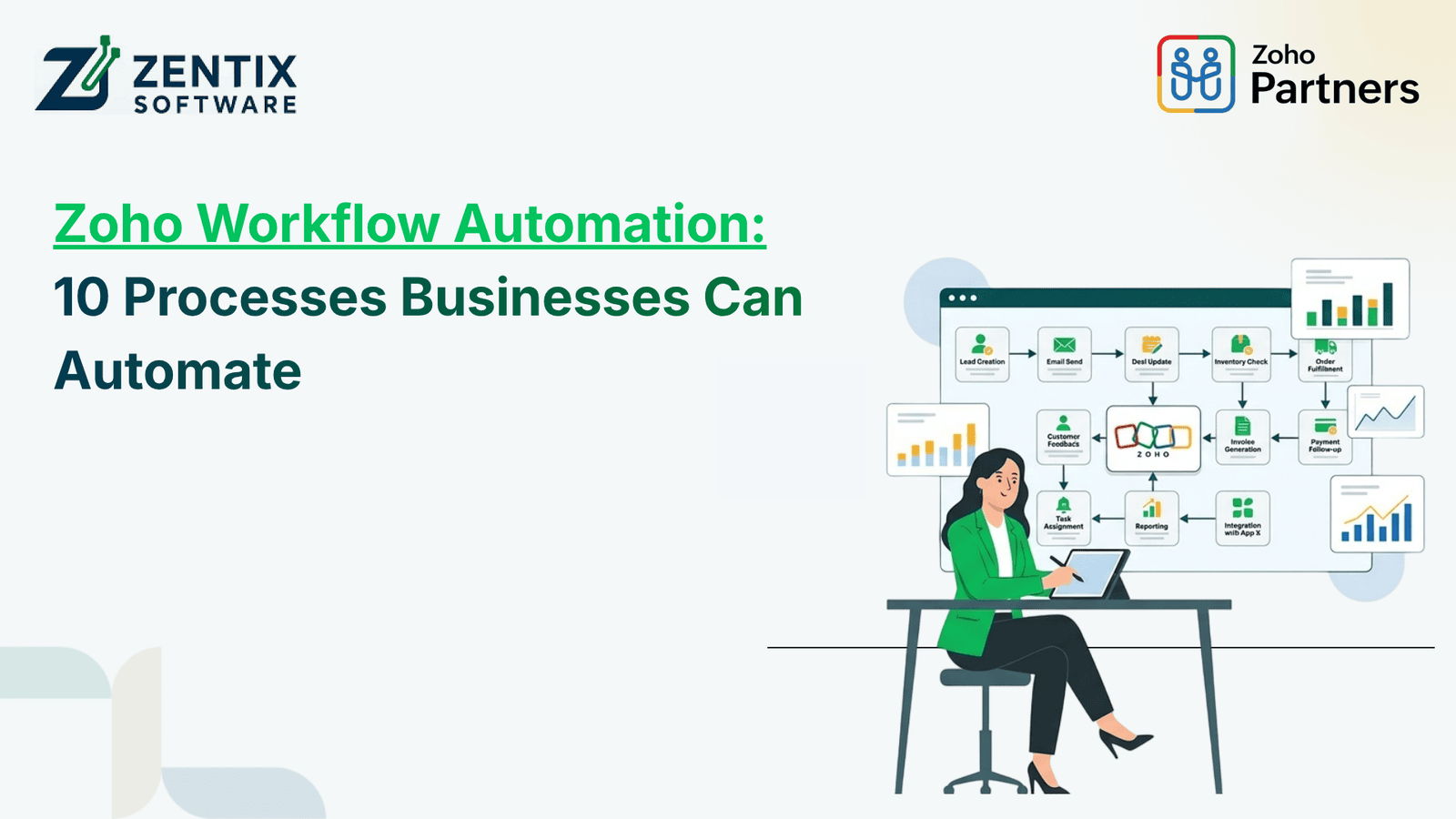
Businesses often spend hours managing repetitive tasks, updating records, sending follow-up emails, and coordinating work between departments. These activities are necessary, but handling them manually can slow down operations and increase the risk of errors.
Zoho Workflow Automation helps businesses streamline these tasks by creating automated workflows across different business applications. From lead management and customer communication to reporting and approvals, automation can reduce manual effort and help teams focus on more important work.
With Zoho applications, businesses can build workflows that match their operational needs. By combining workflow rules, Zoho AI Agents, chatbots, and predictive analytics, organizations can improve efficiency and make better use of their business data.
In this blog, we explore 10 business processes you can automate using Zoho and how automation can support your daily operations.
What Is Zoho Workflow Automation?
Zoho Workflow Automation involves setting up predefined rules, actions, and triggers to perform repetitive business tasks automatically. For example, when a new lead enters Zoho CRM, the system can assign the lead to a sales representative, send an email notification, and schedule a follow-up task.
Depending on the application and configuration, these workflows can be used across sales, marketing, finance, customer support, and internal operations.
Businesses can use Zoho workflow rules, custom functions, Zoho Flow, and other automation capabilities to connect processes and reduce unnecessary manual work.
10 Processes Businesses Can Automate Using Zoho
1. Lead Capture and Assignment
Managing incoming leads manually can cause delays and missed opportunities, particularly when leads arrive through multiple channels.
With Zoho CRM, businesses can automate lead capture, assignment, and initial follow-up activities. Leads can be assigned to sales representatives according to predefined criteria, such as location, product interest, industry, or territory.
Automated notifications can also alert sales teams when new leads enter the system.
Business benefit: Faster lead response, organized lead distribution, and better visibility into the sales pipeline.
2. Sales Follow-Ups and Reminders
Sales representatives often manage several prospects simultaneously. Without a consistent follow-up process, potential customers may be overlooked.
Zoho CRM workflows can create follow-up tasks, send reminders, and trigger email notifications when a deal reaches a particular stage or when a prospect has not responded within a specified period.
Businesses can also automate internal alerts for important deals that require immediate attention.
Business benefit: More consistent follow-ups, improved sales organization, and fewer missed opportunities.
3. Email Marketing and Customer Nurturing
Sending the same marketing message to every contact may not produce the best results. Customers have different interests, preferences, and positions in the buying journey.
Using Zoho Campaigns and supported integrations, businesses can automate email sequences based on contact actions, audience segments, or predefined conditions.
For example, a business can send a welcome email to new subscribers, share educational content with engaged prospects, and send a reminder to customers who have not completed a particular action.
Business benefit: More relevant communication, consistent engagement, and reduced manual campaign management.
Read Next:Top Zoho Integrations Businesses Need for Better Workflow Automation
4. Customer Support Ticket Management
Customer support teams need to handle requests quickly while ensuring that urgent issues receive the right level of attention.
With Zoho Desk, businesses can automate ticket assignment, status updates, escalation notifications, and response reminders. Tickets can be routed to the appropriate department based on their category, priority, or other configured criteria.
Automation can also notify supervisors when tickets remain unresolved beyond a defined service-level target.
Business benefit: Better ticket organization, more consistent service, and improved response management.
5. Invoice Generation and Payment Reminders
Preparing invoices and tracking outstanding payments manually can create additional work for finance teams.
Using Zoho Books, businesses can automate recurring invoices, payment reminders, and selected accounting workflows according to their configuration and business requirements.
For instance, customers can receive payment reminders before or after an invoice's due date. Finance teams can also receive notifications about overdue invoices that require attention.
Business benefit: Less repetitive administrative work, more consistent billing, and improved visibility into outstanding payments.
6. Employee Onboarding and Internal Approvals
Employee onboarding involves several coordinated activities, including collecting documents, assigning training, setting up accounts, and obtaining approvals.
With Zoho People, Zoho Creator, and other suitable Zoho applications, businesses can create workflows to manage onboarding steps and internal requests.
For example, submitting a leave request or purchase request can automatically initiate an approval process. Once approved, the relevant employee or department can receive a notification.
Business benefit: Standardized internal processes, clearer accountability, and fewer delays caused by manual coordination.
7. Inventory and Order Management
Businesses managing products across multiple sales channels need accurate inventory information to prevent stock discrepancies and order processing delays.
Zoho Inventory and connected applications can help automate selected order-processing tasks, stock-related notifications, and data synchronization between supported systems.
For example, a configured workflow can notify the inventory team when stock falls below a specified threshold. Integrations can also help synchronize order information between connected applications.
Business benefit: Better inventory visibility, faster order processing, and more informed stock management.
8. Customer Communication Through Chatbots
Customers increasingly expect quick answers to common questions about products, services, pricing, and support.
A chatbot can handle routine inquiries, collect contact details, guide users toward relevant resources, and direct complex questions to a human representative.
Zoho SalesIQ provides website visitor engagement and chatbot capabilities, with available features depending on the chosen setup. Businesses can configure chatbot interactions to support lead generation and customer service.
For more advanced workflows, chatbot interactions can be connected with CRM records and other business processes where supported.
Business benefit: Faster responses to routine inquiries, improved visitor engagement, and more efficient lead collection.
Read Next: AI Agents in Zoho: The Next Evolution of Business Automation
9. Task Automation Using Zoho AI Agents
Traditional automation generally follows predefined rules, while AI-powered agents can support more flexible tasks depending on their capabilities, permissions, and configuration.
Zoho AI Agents and related AI capabilities can help businesses streamline selected activities, such as assisting with information retrieval, supporting customer interactions, and coordinating tasks across connected workflows where available.
For example, an AI-enabled process could help a team summarize customer information or assist employees in finding relevant records before taking the next step in a workflow.
Businesses should define appropriate access permissions and human review requirements, particularly when an AI-assisted action affects customer records or important business decisions.
Business benefit: Reduced effort on selected knowledge-based tasks, faster access to information, and improved employee productivity.
10. Reporting and Predictive Analytics
Preparing reports manually can consume time that teams could spend analyzing business performance and planning their next steps.
Zoho Analytics helps businesses consolidate data from supported sources, create dashboards, and monitor key performance indicators. Depending on the available data and configured analytics features, businesses can also use predictive analytics to identify patterns and estimate potential future outcomes.
For example, sales teams may analyze historical sales trends to support forecasting, while managers can monitor performance indicators to identify areas that need attention.
Predictive analytics provides estimates rather than guaranteed outcomes, so businesses should review the quality of their data and validate important conclusions.
Business benefit: Faster reporting, better visibility into trends, and more informed business planning.
How Zoho Workflow Automation Improves Business Operations
When automation is planned around actual business requirements, its benefits can extend beyond saving time.
Key advantages include:
Reduced manual work: Automate repetitive activities so employees can focus on higher-value responsibilities.
Fewer process errors: Use consistent rules and standardized workflows to reduce avoidable mistakes.
Faster communication: Trigger notifications and follow-ups when specific events occur.
Improved data visibility: Keep relevant information organized across connected applications.
Better scalability: Standardized processes can help businesses manage increasing workloads without adding the same amount of administrative effort.
The results depend on the workflow design, application configuration, data quality, and how consistently teams use the system.
Best Practices for Implementing Zoho Workflow Automation
Before automating every business activity, identify the processes that create the most repetitive work or frequent delays.
Follow these practical steps:
Identify repetitive tasks: List activities that follow predictable rules, such as lead assignment, invoice reminders, and approval notifications.
Choose the right Zoho applications: Select applications based on your business processes and integration requirements.
Define workflow conditions: Establish clear triggers, actions, exceptions, and approval requirements.
Test before deployment: Check how workflows behave with different records and unusual situations.
Monitor performance: Track indicators such as processing time, overdue tasks, response times, and error rates.
Review and improve: Update workflows as your business requirements change.
For AI agents and predictive analytics, also consider data access, privacy, output validation, and human oversight.
Why Work With a Certified Zoho Service Provider?
Implementing automation across multiple departments requires more than enabling individual workflow rules. Businesses need to understand how their processes connect, which applications should exchange data, and where customization or integration may be necessary.
A Certified Zoho service provider can help evaluate existing workflows, identify suitable automation opportunities, configure applications, and connect business systems according to operational requirements.
At Zentix Software, businesses can explore Zoho consulting and implementation support to identify automation opportunities, improve application integration, and develop workflows aligned with their goals.
The right implementation approach begins with understanding your current processes and selecting automation solutions that address real operational challenges.
Conclusion
Zoho Workflow Automation can help businesses simplify repetitive tasks across sales, marketing, finance, customer support, inventory, and internal operations. From automated lead assignment and payment reminders to chatbots, Zoho AI Agents, and predictive analytics, the right combination of tools can make daily workflows more consistent and manageable.
The most effective approach is to start with processes that consume significant time, establish clear automation rules, and measure the results before expanding to other departments.