
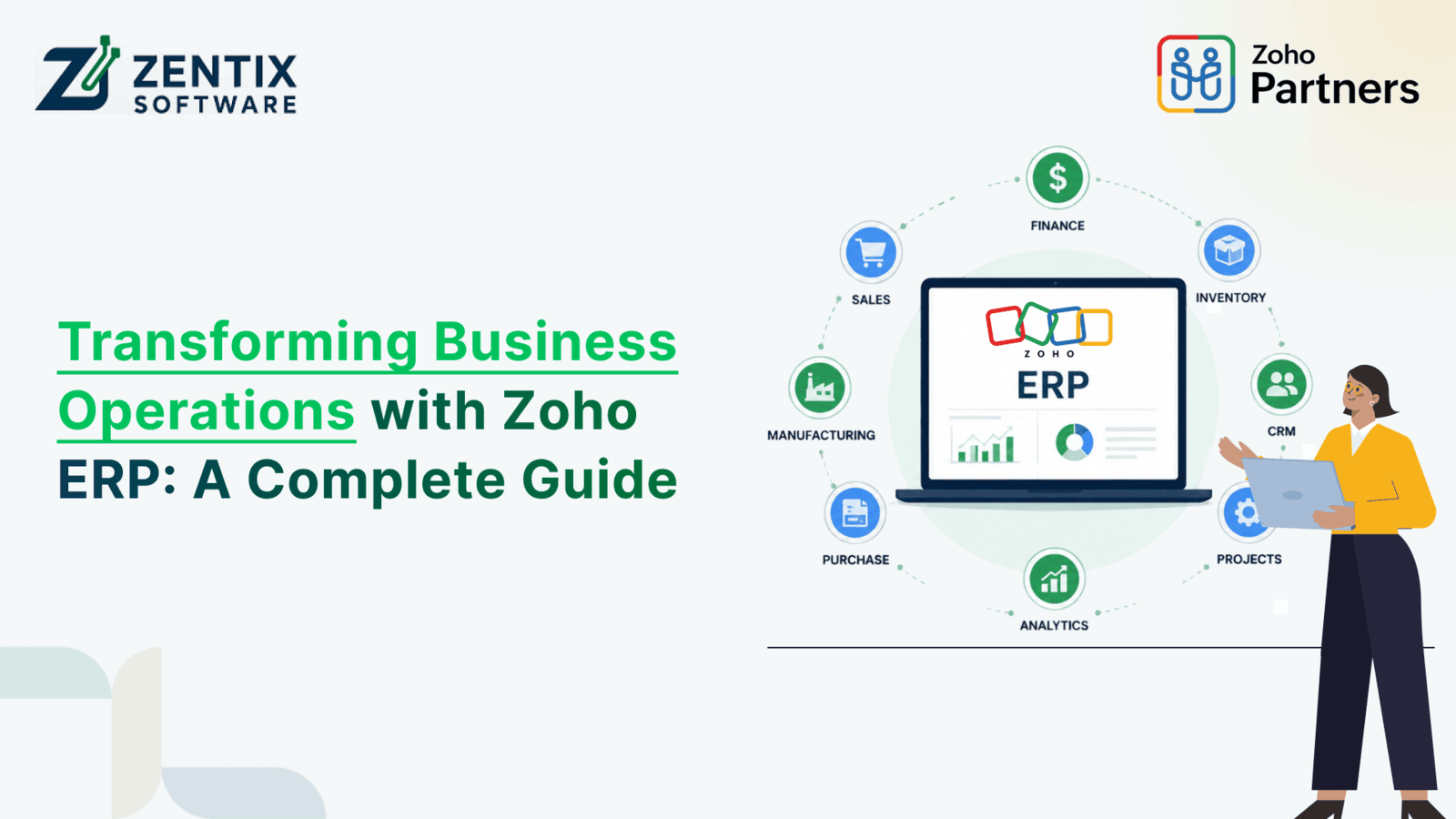
Running a business today is a task. You have to handle sales, finance, inventory, HR, customer service, projects, and reporting at once. When each department uses software, information gets scattered. This leads to doing the tasks over and over, and making decisions takes longer.
This is where Zoho ERP integration makes a difference.
It brings all your business functions together in one system. Zoho helps businesses work together better and see what's happening in real-time. This is helpful whether you're just starting or you're a medium- or large-sized business. A good Zoho ERP plan can make everyday tasks simpler. Help your business grow.
In this guide, we'll look at how Zoho ERP changes business operations. We'll discuss its benefits, features, and how to implement it. We'll also explore why more businesses are investing in Zoho ERP Development.
What is Zoho ERP?
Zoho ERP is a comprehensive business management ecosystem built using multiple Zoho applications that work together seamlessly. Instead of relying on one standalone ERP application, businesses can combine solutions like:
Zoho CRM.
Zoho Books.
Zoho Inventory.
Zoho Projects.
Zoho People.
Zoho Expense.
Zoho Analytics.
Zoho Creator.
Zoho Desk.
Zoho Payroll.
These applications can be integrated to create a customized ERP system based on business requirements.
Unlike traditional ERP software that often requires large investments and lengthy implementation cycles, Zoho offers a flexible and scalable platform suitable for businesses of all sizes.
Why Businesses Need Zoho ERP Integration
Many organizations struggle because their departments operate independently.
For example:
Sales data remains inside the CRM.
Finance uses separate accounting software.
Inventory is updated manually.
HR maintains employee records independently.
Customer support cannot access order history.
This disconnect creates:
Duplicate data entry.
Communication gaps.
Reporting delays.
Human errors.
Poor customer experiences.
With Zoho ERP Integration, every department works from a centralized data source. Information flows automatically between applications, allowing employees to focus on strategic work instead of repetitive administrative tasks.
Key Benefits of Zoho ERP Integration
1. Centralized Business Data
Instead of storing information across multiple systems, Zoho ERP integrates all critical business data into one connected platform.
This enables teams to:
Access updated information instantly.
Reduce duplicate records.
Improve collaboration.
Generate accurate reports.
Decision-makers no longer need to collect spreadsheets from different departments.
2. Better Customer Relationship Management
Integrating Zoho CRM with finance, inventory, and support creates a complete customer lifecycle.
Sales teams can instantly view:
Previous purchases.
Outstanding invoices.
Product availability.
Customer support tickets.
Payment history.
This helps businesses deliver faster and more personalized customer experiences.
Read next: Integrating Zoho CRM, ERP, and Finance Data into One Dashboard
3. Automated Business Processes
Manual approvals and repetitive administrative work consume valuable employee time.
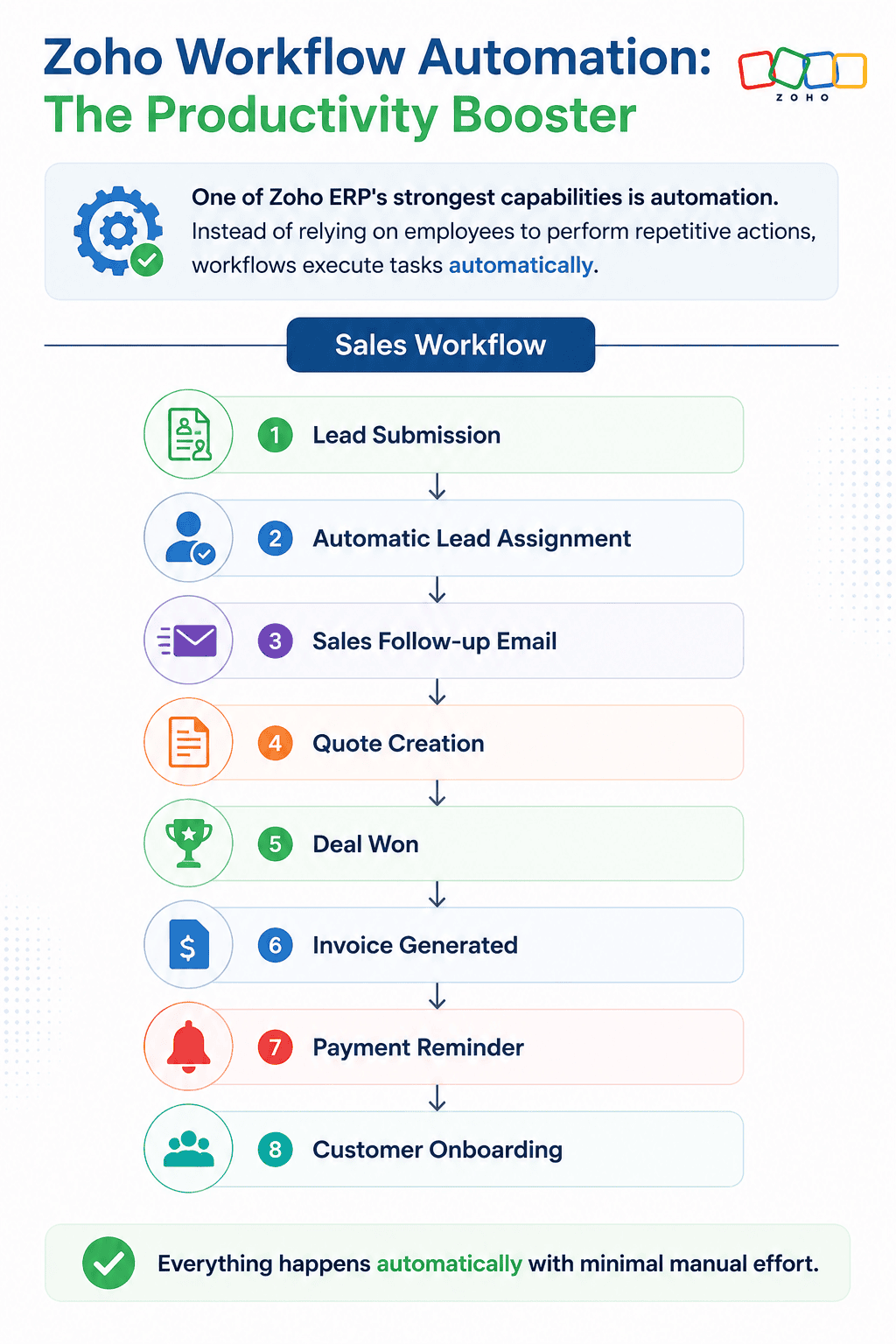
With Zoho Workflow Automation, businesses can automate:
Lead assignments.
Invoice generation.
Purchase approvals.
Inventory alerts.
Follow-up emails.
Employee onboarding.
Vendor notifications.
Sales approvals.
Automation improves productivity while reducing manual errors.
4. Improved Operational Efficiency
Every department can work with synchronized information.
Examples include:
Sales orders automatically update inventory.
Invoice creation after order confirmation.
Payment status syncing with CRM.
Customer support can access order details instantly.
These automated connections eliminate unnecessary manual intervention.
5. Real-Time Business Insights
Zoho Analytics integrates data across applications to provide dashboards and reports such as:
Sales performance.
Revenue trends.
Inventory valuation.
Cash flow.
Employee productivity.
Customer acquisition.
Profit margins.
Leaders can make informed decisions using real-time information instead of outdated reports.
How Zoho ERP Improves Different Business Departments
Sales:
Sales representatives can:
Track leads.
Manage opportunities.
Generate quotations.
Monitor customer interactions.
Forecast revenue.
Integration with Zoho CRM keeps customer information updated across departments.
Finance:
Zoho Finance teams can automate:
Billing.
Accounting.
GST calculations.
Expense management.
Payment reconciliation.
Financial reporting.
This reduces accounting errors while improving compliance.
Inventory Management:
Businesses selling products benefit from:
Stock tracking.
Warehouse management.
Purchase orders.
Vendor management.
Shipment tracking.
Low-stock alerts.
Inventory updates happen automatically after every sale.
Read Next:
Human Resources:
Zoho HR teams can manage:
Attendance.
Leave requests.
Payroll.
Employee records.
Performance reviews.
Recruitment.
This minimizes paperwork and improves employee management.
Customer Support:
Support teams receive instant access to:
Customer purchase history.
Service requests.
Previous conversations.
Warranty details.
Product information.
This allows faster issue resolution.
Common Zoho ERP Integrations
Businesses often connect Zoho with:
Payment gateways.
WhatsApp Business.
Microsoft 365.
Google Workspace.
Shopify.
WooCommerce.
Razorpay.
Stripe.
Logistics providers.
Banking systems.
These integrations create a unified digital ecosystem.
Read Next:Zoho ERP Automation: Common Implementation Mistakes and How an AI-Powered Partner Avoids Them
Why Custom Zoho ERP Development Matters
Every business operates differently.
Manufacturing companies have different workflows from those of healthcare providers, retailers, educational institutions, or service businesses.
This is where Zoho ERP Development becomes valuable.
Custom development allows businesses to:
Build unique workflows.
Create custom modules.
Design role-based dashboards.
Automate industry-specific processes.
Develop custom reports.
Integrate third-party applications.
Create mobile-friendly solutions.
Instead of changing business processes to accommodate software limitations, businesses customize Zoho to suit their operations.
Industries Using Zoho ERP
Zoho ERP supports businesses across various industries.
Manufacturing:
Production planning.
Inventory management.
Vendor coordination.
Retail:
POS integration.
Multi-store inventory.
Customer loyalty.
Healthcare:
Patient management.
Appointment scheduling.
Billing.
Education:
Student records.
Fee management.
Staff administration.
Professional Services:
Project tracking.
Resource allocation.
Time management.
Distribution:
Warehouse operations.
Order fulfillment.
Supply chain management.
Read Next: Where Deals Meet Delivery: Why ERP Is the Backbone of Modern Sales
Steps to Implement Zoho ERP Successfully
A successful implementation requires careful planning.
Step 1: Analyze Business Processes
Identify existing workflows and operational challenges.
Step 2: Define Business Goals
Determine what you want to achieve, such as:
Better reporting.
Workflow automation.
CRM integration.
Inventory optimization.
Step 3: Choose Zoho Applications
Select the applications that best match your business needs.
Step 4: Configure and Customize
Set up workflows, user roles, dashboards, and automation based on business requirements.
Step 5: Data Migration
Transfer customer records, financial data, inventory, and employee information securely.
Step 6: Employee Training
Train users to maximize adoption and minimize resistance.
Step 7: Go Live and Optimize
Monitor performance, gather feedback, and refine workflows for continuous improvement.
Best Practices for Zoho ERP Integration
To maximize ROI:
Start with clearly defined objectives.
Automate repetitive processes first.
Clean existing business data before migration.
Use dashboards to monitor KPIs.
Train employees thoroughly.
Review workflows regularly.
Work with experienced Zoho ERP specialists for complex integrations.
Why Businesses Choose Zoho ERP Over Traditional ERP Systems
Compared to conventional ERP platforms, Zoho offers several advantages:
Traditional ERP | Zoho ERP |
High implementation costs | Affordable subscription model |
Complex deployments | Faster implementation |
Limited flexibility | Highly customizable |
Separate applications | Connected business ecosystem |
Expensive upgrades | Continuous cloud updates |
Difficult scalability | Easily scalable as the business grows |
This flexibility makes Zoho an attractive option for growing businesses seeking digital transformation without high costs.
Future of Business Management with Zoho ERP
As businesses increasingly adopt AI and automation, Zoho continues to enhance its ecosystem with intelligent features such as predictive analytics, AI-powered assistants, workflow optimization, and advanced reporting. These innovations enable organizations to make faster decisions, reduce operational costs, and deliver better customer experiences.
Investing in Zoho ERP Integration today positions businesses to adapt more quickly to future technological advancements while maintaining operational efficiency.
Conclusion:
Business success relies on how teams work together, how fast decisions are made, and how well routine tasks are handled. Zoho ERP Integration combines sales, finance, HR, inventory, and customer support into one platform. This helps businesses get rid of data systems and boost productivity.
With Zoho CRM connection, strong Zoho Workflow Automation, and custom Zoho ERP Development, organizations can create a flexible ERP system that grows with their business.
Zoho ERP Integration helps, whether you're updating processes or planning a full digital change. It provides the adaptability and insight to drive business growth over time.
Zoho ERP Integration supports long-term success.
Ready to streamline your operations? Book Your Free Live Demo with Zentix Software to implement a customized Zoho ERP solution that fits your business goals.