
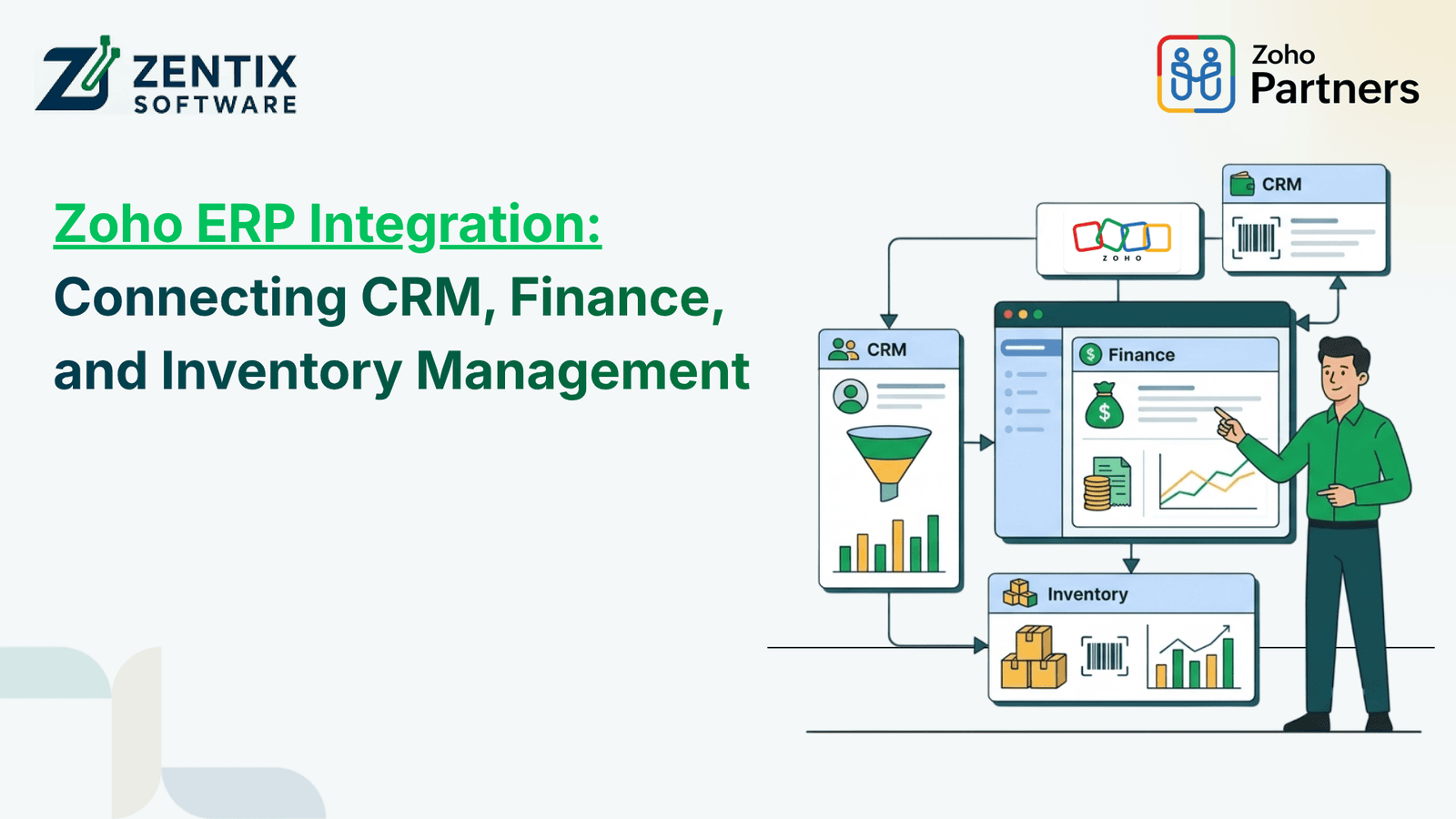
Businesses often invest in numerous different software programs to control their sales, accounting, inventory, and customer relations. However, the problem arises when these programs work independently. Salespeople change information directly in the database, finance directors prepare quotes in Excel, and sales managers, unaware of previous actions, create new documents in the sales system.
The situation when different divisions of the company use independent software solutions results in extra data entry, late reporting, and errors. Integration of business applications allows group functions to share and exchange information, plan, and analyze business processes in real-time.
For growing businesses, Zoho ERP integration offers a practical way to connect important business functions. By bringing customer management, financial information, and inventory operations into a connected workflow, companies can reduce manual work and gain better visibility into their operations.
What Is ERP Integration, and Why Does It Matter?
Enterprise resource planning (ERP) systems unify many business processes, enabling the different departments to work together with shared information. This approach eliminates the need for multiple records of the same information and establishes procedures that allow sales, finance, inventory, purchasing, and reporting functions to work together.
The integration of these functions enables individual applications to share the necessary information automatically or through a set of predefined steps.
For instance, in case of an order confirmation by a sales executive, the system may have to update the customer database, check the availability of the product, raise an invoice, and arrange for delivery. In the absence of such integration, these activities would have to be done manually by the relevant employees.
Integration to create unified processes helps eliminate a lot of redundant steps in business activities and makes it easier for the managers to get the information they need from the different departments without going through multiple records.
How CRM, Finance, and Inventory Work Together
1. Connect CRM With Everyday Business Operations
Zoho's CRM Software helps businesses manage leads, sales opportunities, customer communication, and follow-ups. However, sales information becomes more useful when it is connected to the systems responsible for billing and order fulfilment.
Consider a business that receives an order from an existing customer. The sales team records the opportunity, confirms the order details, and updates the customer profile. Connected workflows can then pass the necessary information to the relevant finance and inventory applications.
This reduces the need for employees to re-enter customer details and helps departments work from consistent records.
A well-planned integration can support:
Better visibility into customer orders and sales activity.
Faster handoffs between sales and finance teams.
Fewer errors caused by duplicate data entry.
More reliable customer and order information.
The objective is not simply to connect applications. It is to create a workflow in which information reaches the right people at the right time.
2. Bring Financial Information Into the Same Workflow
Financial management involves more than recording payments. Businesses also need to manage invoices, expenses, accounts receivable, vendor payments, and financial reports.
Connecting Zoho Finance applications with customer and inventory workflows can help teams reduce the gaps between a completed sale and the financial records associated with it.
For instance, when an order is confirmed, the appropriate workflow may create an invoice using the relevant customer and order details. Once payment information is updated, finance staff can review the outstanding balance and follow up when necessary.
This approach can help businesses:
Reduce repetitive invoice preparation.
Improve visibility into outstanding payments.
Keep sales and billing information aligned.
Simplify financial reporting and reconciliation workflows.
The exact level of automation depends on the applications involved, the available integrations, and how the business configures its processes.
Read Next: Integrating Zoho CRM, ERP, and Finance Data into One Dashboard
3. Keep Inventory Information Up to Date
Inventory management tends to become more complicated for businesses that deal with a large amount of goods, orders, warehouses, or sales channels. If the stock has to be kept in separate records from sales and procurement data, it can become difficult to manage this information.
By tying inventory management into the CRM and financial accounting processes, employees can manage the sales, inventory, purchases, and invoicing processes more effectively.
For instance, an online store seller that uses different platforms to resell their goods can fail to update their inventory in time if they have to process an order. This can lead to another employee selling the same item again since the stock was not depleted right after the first purchase.
Such issues can be avoided with consistent procedures that tie together the relevant data in supported software systems and synchronise their inventory figures.
Useful capabilities may include:
Stock availability checks during order processing.
Inventory updates after confirmed transactions.
Low-stock notifications and reorder workflows.
Better coordination between purchasing and sales.
Improved visibility into product movement and order status.
For businesses with multiple warehouses or sales channels, inventory rules should be carefully configured to reflect actual stock allocation and fulfilment requirements.
How Zoho Applications Support Connected Business Processes
Different applications serve different purposes, so the right combination depends on the company's existing systems and operational requirements.
Using Zoho One as a Connected Business Environment
Zoho One brings together a broad collection of business applications covering areas such as sales, finance, collaboration, analytics, and operations.
Rather than viewing individual departments as separate software ecosystems, enterprises can identify the applications that need to exchange information and take advantage of automation.
For instance, companies can connect their customer relationship management systems to their order processing chains, synchronize their financial operations, and analyze their sales with reporting applications.
Still, even if there are multiple applications within one ecosystem, it does not mean that all of its functions are automated or synchronised; data needs to be processed, permissions adjusted, systems configured, and procedures established.
Where Zoho Books Fits Into the Process
Zoho Books supports accounting activities such as invoicing, expense tracking, payment management, and financial reporting.
If properly configured and equipped with the right applications, the software can help close the loop between sales and accounting. It can help share the information about customers, invoices, and payments through the integrated processes.
For instance, a service company can utilise the software to design a customer management process that connects approved work to the invoice. However, prior to implementation, the management needs to identify what needs to sync, how to avoid duplicates, and who will be responsible for accounting tasks.
Building the Right Financial Workflow
Zoho Finance solutions can support businesses that want to connect accounting activities with broader operational processes. The goal is to establish clear information flows rather than forcing every department to follow the same procedure.
A business might automate invoice creation after order approval, notify the finance team when a payment is overdue, or make selected transaction information available for management reporting.
These workflows should be designed around actual business rules, including approval requirements, tax considerations, payment terms, and reporting needs.
Read Next: Where Deals Meet Delivery: Why ERP Is the Backbone of Modern Sales
Practical Examples of ERP Integration
The benefits of integration become clearer when applied to everyday business situations.
Example 1: A wholesale distributor
A distributor gathers orders from business customers. Must handle sales check stock availability create invoices and manage dispatch. When workflows are connected employees can verify stock prepare billing details and keep order statuses up, to date.
Example 2: A growing service company
A company that provides services handles leads creates quotes completes projects and sends bills. Connecting customer and billing systems can cut down on repeating data entry. Make it simpler to follow the path from an initial inquiry, to receiving payment.
Example 3: An online retailer
A retailer sells products through a store and other sales channels. Using the integrations can help keep orders and stock information in sync. This reduces the chance of availability records and makes fulfilment coordination smoother.
In every situation, the best solution depends on the company’s processes, whether the applications work well together and how much automation the business wants.
Common Challenges to Address Before Integration
Integration can improve efficiency, but a poorly planned implementation may create new problems. Businesses should address the following areas before connecting their systems.
Inconsistent data: Duplicate customer records, different product names, and incomplete financial details can affect synchronisation. Clean existing data before implementation.
Unclear workflows: Automation will not fix an inefficient process by itself. Define how orders, approvals, invoices, and stock updates should work before configuring the system.
Access and permissions: Employees should have access only to the records and actions required for their roles. Review permissions and approval controls carefully.
Application limitations: Not every application supports every integration or data flow. Confirm available APIs, native connectors, sync frequency, and any third-party tools required.
Insufficient testing: Test realistic scenarios, including cancelled orders, partial payments, returned products, and failed synchronisation. Make sure teams know how to identify and resolve errors.
How Zentix Software Can Help With ERP Integration
Successful integration starts with understanding how a business actually operates. Every organisation has different sales processes, accounting requirements, inventory rules, and reporting expectations.
Zentix Software helps businesses evaluate their application requirements and plan connected workflows around their operational goals. With experience in IT and Zoho solutions, the team can help identify integration opportunities, configure suitable applications, and align automation with existing business processes.
The implementation process may include:
Reviewing systems and finding workflows that don’t connect well.
Mapping customer data, transaction records and inventory details to see how they fit together.
Picking the apps and ways to link them so everything works smoothly.
Setting up automation user permissions and approval steps to keep things organized.
Testing the workflows and helping teams switch to fully connected operations.
The aim is to create a practical setup that reduces unnecessary manual work while giving teams more reliable access to the information they need.