Every sales team wants to close deals without wasting a lot of time on tasks that they have to do over and over. Things like typing in data by hand, following up with people, scheduling appointments, and talking to their own team take up a lot of time that they could be using to sell.
This is where sales automation really helps. When businesses use sales automation to handle tasks that they have to do over and over, they can focus on getting to know their customers, answering questions faster, and making their customers happy.
With tools like Zoho CRM, Zoho Campaign, Zoho Cliq, and Zoho Bookings, businesses can make their work easier and get more done across the whole sales process.
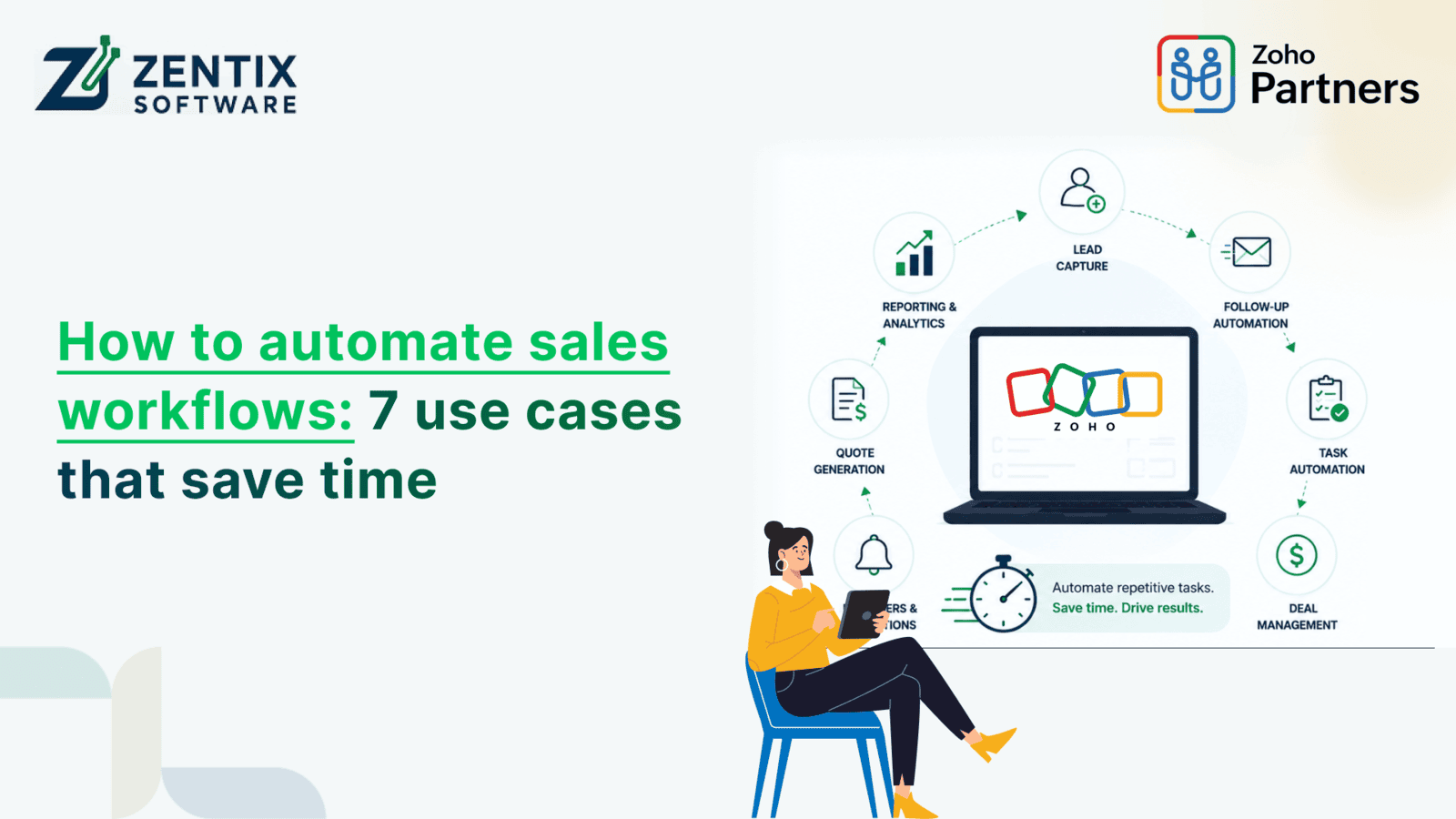
In this guide, we will look at seven sales automation use cases that really work. These sales automation use cases help businesses save time and get more done.
What Is Sales Automation?
Sales automation is the process of using software to automate repetitive sales activities, reducing manual effort while improving accuracy and speed.
Instead of manually updating records, sending emails, or assigning leads, automation handles these tasks automatically based on predefined rules.
Common sales activities that can be automated include:
Lead capture.
Lead assignment.
Follow-up emails.
Appointment scheduling.
Internal notifications.
Customer onboarding.
Sales reporting.
The result is a faster sales process with fewer errors and happier sales teams.
Why Businesses Need Sales Automation
Manual processes create bottlenecks that slow revenue growth.
Businesses often struggle with:
Missed follow-ups.
Delayed responses.
Duplicate data entry.
Poor lead management.
Scheduling conflicts.
Lack of visibility across teams.
Sales automation helps solve these challenges by keeping every stage of the customer journey connected.
Benefits include:
Faster response times.
Better lead conversion.
Improved team collaboration.
Higher productivity.
Reduced manual errors.
More consistent customer experiences.
Read Next: Why Zoho CRM Wins in 2026: A Deep Dive into the Top CRM Tools
1. Automatically Capture and Assign Leads
One of the biggest time-saving opportunities is eliminating manual lead entry.
When someone fills out a website form or submits an inquiry, the information can automatically flow into Zoho CRM.
Automation rules can then:
Assign leads based on location.
Route leads by product interest.
Distribute leads evenly among sales representatives.
Notify assigned salespeople instantly.
This ensures every inquiry receives immediate attention without administrative work.
Business Benefit
Faster lead response.
Better lead distribution.
Higher conversion rates.
2. Send Instant Follow-Up Emails
Most prospects expect quick communication after inquiring.
Instead of manually sending emails, businesses can trigger automated messages through Zoho Campaign.
Examples include:
Thank-you emails.
Product brochures.
Welcome messages.
Demo invitations.
Educational content.
Sales teams remain engaged with prospects while spending less time writing repetitive emails.
Business Benefit
Consistent communication.
Better customer engagement.
Increased trust.
3. Schedule Meetings Without Back-and-Forth Emails
Scheduling meetings often requires multiple emails to find a suitable time.
With Zoho Bookings, prospects can select available time slots directly from the sales representative's calendar.
Once booked, the system automatically:
Confirms appointments.
Sends reminders.
Updates calendars.
Creates CRM records.
Sales representatives avoid scheduling conflicts while providing a smoother customer experience.
Business Benefit
Fewer scheduling emails.
Reduced no-shows.
Faster sales meetings.
4. Notify Teams Instantly About Important Sales Activities
Sales success often depends on quick collaboration.
Whenever important actions occur - such as a high-value lead submission or deal closure - automation can instantly notify the team through Zoho Cliq.
Examples include:
New enterprise lead received.
The deal moved to the negotiation stage.
Large opportunity closed.
The customer requested urgent support.
Real-time notifications help everyone stay informed without constantly checking CRM dashboards.
Business Benefit
Faster collaboration.
Better visibility.
Improved response times.
Read Next: AI Chatbots vs Intelligent Agents: What's the Difference and Which Does Your Business Need?
5. Automatically Update Customer Records
Sales representatives frequently spend time updating customer information after calls or meetings.
Automation can update records automatically whenever:
A deal progresses.
A payment is completed.
A meeting is booked.
A customer responds to an email.
A support ticket is created.
Keeping customer information updated ensures accurate reporting and better decision-making.
Business Benefit
Cleaner CRM data.
Less manual entry.
Better reporting accuracy.
6. Automate Customer Nurturing
Not every lead is ready to purchase immediately.
Instead of losing potential customers, businesses can automatically nurture them with personalized email campaigns.
Using Zoho Campaign, businesses can:
Send educational content.
Share case studies.
Deliver product updates.
Promote webinars.
Offer special promotions.
Leads remain engaged until they're ready to speak with the sales team.
Business Benefit
Higher engagement.
Better-qualified leads.
Increased conversions.
7. Create Automatic Sales Reports
Managers spend significant time collecting sales data from multiple sources.
Sales automation can generate reports automatically, providing insights into:
Lead sources.
Conversion rates.
Sales pipeline performance.
Team productivity.
Revenue forecasts.
Decision-makers always have access to real-time data without manual report preparation.
Business Benefit
Faster reporting.
Better forecasting.
Data-driven decisions.
How Zoho Applications Work Together
One of the biggest advantages of the Zoho ecosystem is seamless integration between applications.
Here's how the workflow can look:
Customer Action | Zoho Application | Automated Outcome |
Website inquiry | Zoho CRM | Lead created automatically |
Welcome email | Zoho Campaign | Personalized email sent |
Meeting request | Zoho Bookings | Appointment scheduled |
Internal notification | Zoho Cliq | The sales team alerted |
Deal progress | Zoho CRM | Pipeline updated automatically |
Customer nurturing | Zoho Campaign | Automated email sequence |
Performance tracking | Zoho CRM | Reports generated |
Read Next: Zoho Books vs QuickBooks: Which Accounting Software Is Better for SMEs?
Best Practices for Sales Automation
To maximize automation success:
Start Small
Automate repetitive tasks before creating complex workflows.
Keep CRM Data Clean
Automation is only effective when customer data is accurate.
Personalize Communication
Use customer information to create personalized email experiences instead of generic messages.
Review Workflows Regularly
Business processes evolve. Review automation periodically to improve efficiency.
Monitor Performance
Track metrics like response times, conversions, and pipeline movement to measure automation success.
Why Choose Zentix Software for Sales Automation?
Implementing sales automation requires more than just software - it requires workflows tailored to your business goals.
At Zentix Software, we help businesses design, implement, and optimize automation using the Zoho ecosystem. Whether you're looking to streamline lead management, automate customer communication, or connect multiple business applications, our experts create scalable solutions that improve efficiency and support long-term growth.
Our services include:
Zoho CRM implementation and customization.
Workflow automation.
Zoho Campaign setup.
Zoho Bookings integration.
Zoho Cliq collaboration workflows.
Custom Zoho integrations.
Ongoing optimization and support.
Conclusion:
Sales teams should not spend their day doing the same things over and over. This is where sales automation comes in. Sales automation helps companies respond to customers faster, improve their experiences, and get work done by handling tasks like managing leads, communicating with customers, scheduling meetings, generating reports, and collaborating.
When you use Zoho CRM, Zoho Campaign, Zoho Bookings, and Zoho Cliq together, you can make workflows that get rid of tasks that people have to do by hand. This way, every time you talk to a customer, it is. Gets done quickly.
Take the next step toward smarter sales automation.
Our Zoho specialists can help you streamline workflows, improve productivity, and create seamless customer experiences with customized Zoho solutions. Book Your Free Live Demo Now to get started.